Convert Cursive Writing to Text
Upload any photo of cursive writing to get clean editable text in seconds. Perfect for old letters, handwritten notes, journals, plus archived pages.
Drop files here
or click to browse
JPG, PNG, WebP, PDF
Result will appear here
Upload files to start
Everything you need for cursive transcription
One upload is all it takes. AI handles recognition, transcription, plus output so you can focus on the content instead of the decoding.
Reads many cursive styles
From vintage script to modern handwriting, the model adapts to different letter shapes, slants, spacing, plus personal writing habits.
Fast results
Upload your image to get a full text transcription in seconds with no complicated setup or long wait.
Useful for historical pages
Works well for old letters, journals, diaries, genealogy records, plus government documents written decades or centuries ago.
Supports images plus PDFs
Upload a JPG, PNG, WebP photo, or a multi page PDF. It works across the file types people use most often.
Editable text output
Every transcription is returned as plain text you can copy, paste, edit, search, or export into another tool.
Private by design
Your uploads are processed securely so you can transcribe personal handwriting with confidence.
From cursive to print in three steps
Upload your image
Drag plus drop or click to upload a photo, scan, or PDF that contains the cursive writing you want to read.
AI reads the handwriting
Our model analyzes the cursive script character by character to produce a clean structured transcription you can review right away.
Copy your text
Read, edit, copy, or export the result. It is ready for documents, notes, research, or your everyday workflow.
Who uses Cursive Translator?
Students, historians, families, researchers, plus writers use it every day to make cursive writing easier to read.

Students
Transcribe handwritten class notes, historical letters assigned for study, or older assignments into searchable digital text that is easy to review, share, plus reference.

Family History
Decode faded family letters, estate records, plus birth certificates written in antique cursive. Preserve important stories before they are lost to time.

Researchers
Convert handwritten field notes, interview transcripts, plus historical records into searchable digital text for analysis, citation, plus archiving.

Writers
Turn handwritten ideas, interview notes, or rough drafts into clean digital copy without slow manual retyping.
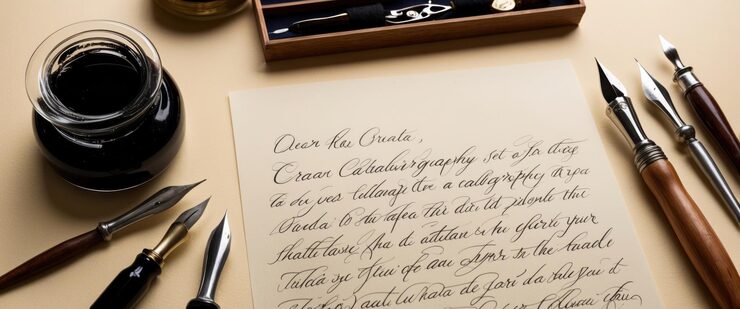
Personal Letters
Decode handwritten notes from friends, relatives, or pen pals whether recent or decades old. Create a clear digital version to reply to, archive, or share.
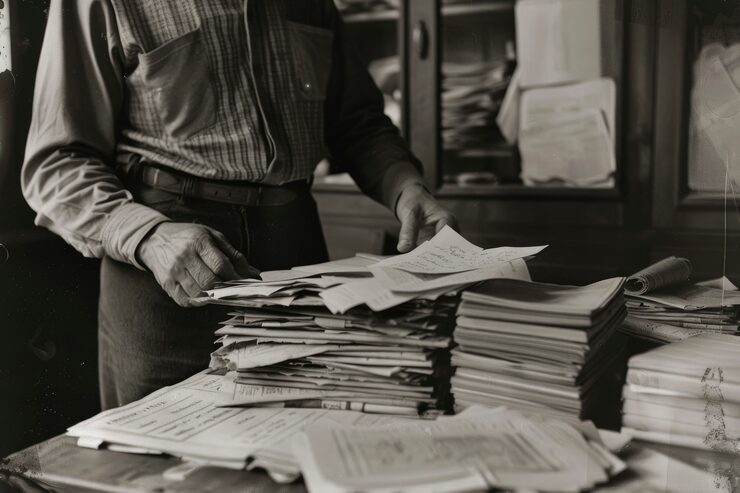
Historical Records
Read handwritten deeds, wills, contracts, court records, plus government papers written before the era of typewriters.
What users are saying
Students, historians, plus researchers rely on Cursive Translator every day to understand handwritten text faster.
I had a box of my grandmother's letters written in old cursive. This tool helped me read every single one in under an hour.
Maria K.
Genealogy enthusiast
My professor's feedback is almost impossible to read in cursive. Cursive Translator helps me understand it every time.
Tom R.
University student
We use it to digitize handwritten field notes from the 1950s. It saves a huge amount of time during archival work.
Dr. Aisha N.
Archival researcher
Frequently Asked Questions
Common questions about converting cursive handwriting into text.
What is Cursive Translator?
Cursive Translator is an AI tool that converts images of cursive handwriting into editable plain text. It works with many handwriting styles, ages, plus document types.
Which file types are supported?
You can upload JPG, PNG, plus WebP images as well as multi page PDF files up to 50 MB.
Can it read old or historical cursive?
Yes. The model works well with many older cursive styles, which makes it useful for genealogy records, letters, plus historical documents.
How accurate is the transcription?
Accuracy depends on how clear the original handwriting is. Sharp well lit images with legible cursive usually produce the best results.
Does it support multiple languages?
The tool works best with English cursive. Other Latin script languages may also work depending on handwriting style plus image clarity.
Is my uploaded content stored?
Your files are processed securely plus kept only as long as needed to generate the result. See the Privacy Policy for full details.
Do I need an account to use it?
No account is required to try the tool. Registered users get access to higher usage limits plus additional features.
Can I use it on a phone?
Yes. The tool works on phones plus tablets, so you can photograph handwritten text directly then upload it from your camera roll.
Start reading cursive today
Upload a photo of any cursive text to get clean editable output in seconds. Free to try with no account required.